Planning with an AI agent has one frustrating flaw: the plan stays in the chat. You get a nice list of ramen shops, you close the window, and a week later you are scrolling back to find it.
Ikuzo fixes the last step. Connect it to ChatGPT and the list becomes spots on your own map, with the right location, a status, and a place in the app on your phone. This guide shows the setup, which takes about a minute, and the requests that work best.
Connect Ikuzo to ChatGPT
- Open ChatGPT and go to Plugins.
- Search for Ikuzo. The plugin is called "Ikuzo: Map Editor for Travel". You can also open it directly.
- Press Install plugin, then Continue to Ikuzo. ChatGPT sends you to an Ikuzo page.
- Type your e-mail. Ikuzo sends you a 6-digit code: type it, and you are in. If you have no Ikuzo account yet, one is created for you at this step, for free.
- Press Allow. You are back in ChatGPT, and it can now see your maps.
That's it. There is nothing to install, and you can disconnect at any time from your Ikuzo account (Account → Features).
Your first request
Start simple, to see it work:
Show me my Ikuzo map.
ChatGPT answers with a small card: your map, its spots, and a button to open it in Ikuzo. If you have several maps, it asks which one, or you name it.
Then ask for something real:
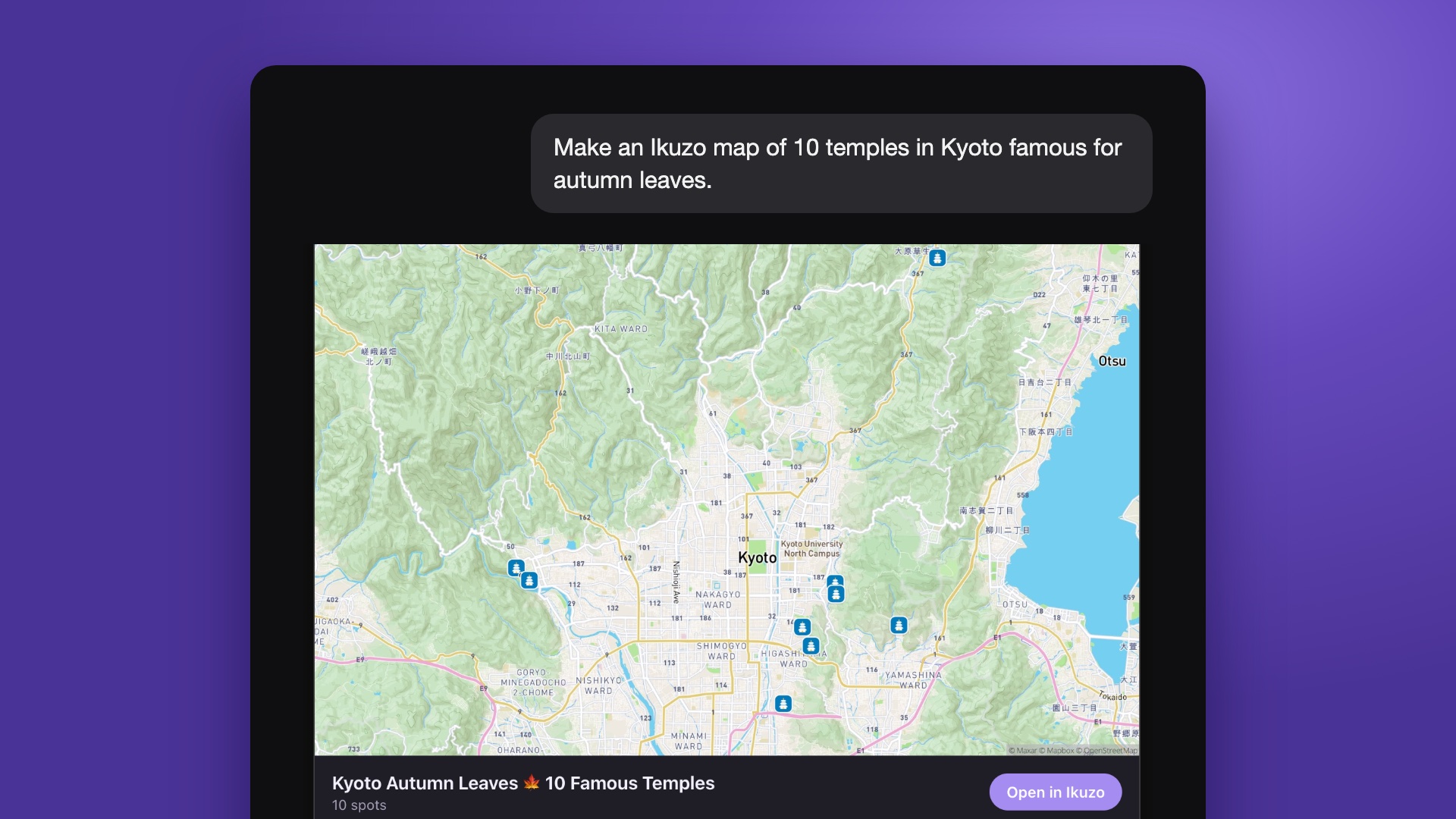
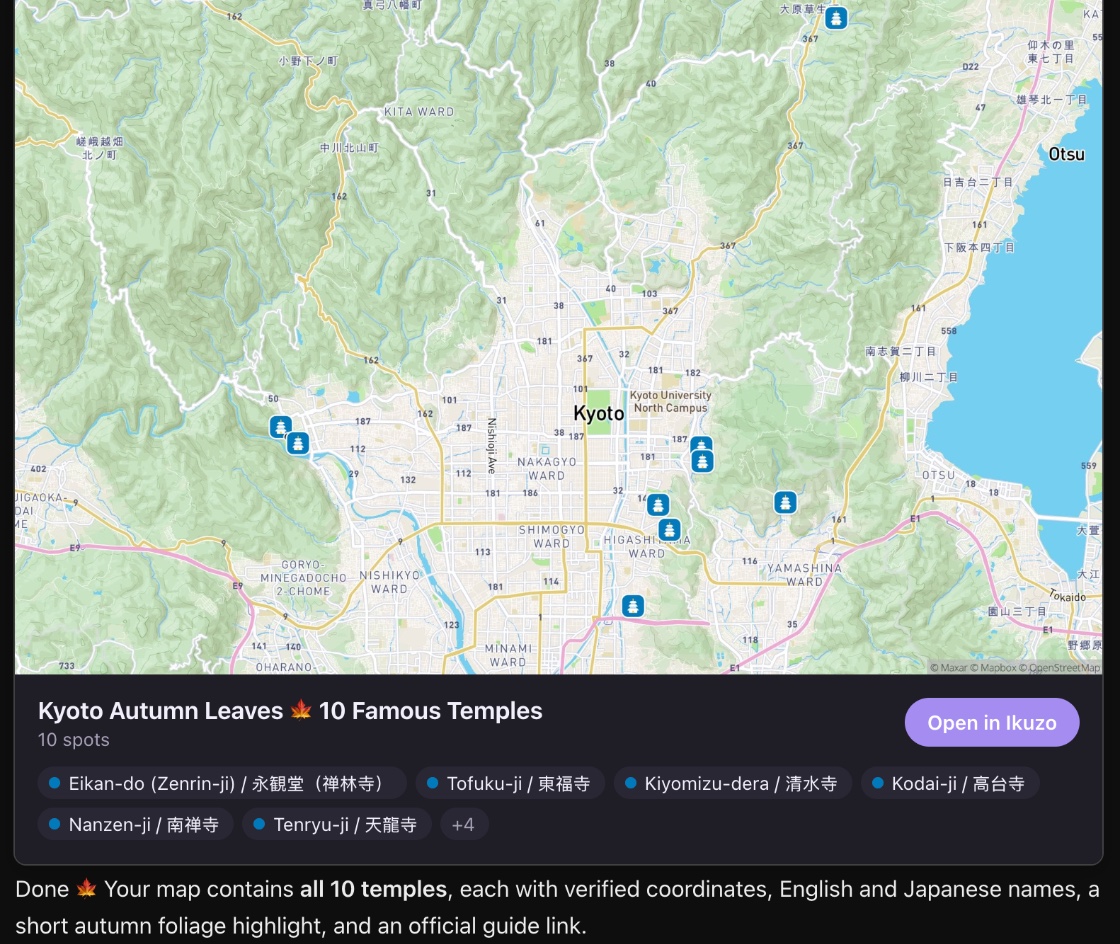
Make an Ikuzo map of 10 temples in Kyoto famous for autumn leaves.
ChatGPT looks up each temple, finds its exact location, adds the ten spots to a new map and shows you the result. Open Ikuzo on your phone: they are there.
What to ask
The requests that work best describe a result, not a method. A few that people use most:
Fill a map from an idea. "Add the 10 best ramen shops in Kyoto to my Japan map, as To visit."
Turn something you read into spots. "Here is an article about hidden beaches in Okinawa: put every beach it mentions on my map." Paste the text or the link. This also works with a friend's list, a message, or your own notes.
Find what you already saved. "Which of my spots are within 2 km of Shinjuku Station?" Handy when you arrive somewhere and remember saving a place nearby.
Tidy a big map. "Tag every temple on my Japan map with #temple, and mark the ones in Nara as Visited." Changes that would take an evening by hand take one sentence.
Build a trip. "Make a 5-day trip in Hokkaido from my To visit spots, one area per day." You get a day-by-day plan in Ikuzo that you can then reorder yourself.
A few tips
- Name the map. "On my Japan map" avoids a question back, and avoids spots landing on the wrong map.
- Say the status. "As To visit" or "as Visited" keeps your colors meaningful.
- Ask to see the result. "Then show me the map" ends the answer with the map card.
- Check before a big change. For anything that edits many spots, ask "tell me what you will change first". ChatGPT also asks for your confirmation before deleting.
- It is your real map. Everything appears right away on the website and in the iPhone and Android apps, and you can always fix a spot by hand.
Is it private?
Your maps stay private unless you choose to share them. ChatGPT only reaches your Ikuzo account when you ask it something that needs it, and it can only do what you could do yourself: it cannot see other people's private maps.
Free accounts can make 100 requests a month through an AI agent, which is plenty to try it and to build a few maps. The Explorer plan raises that to 5,000.
Claude and other AI agents
ChatGPT is the easiest way in, because Ikuzo is in its directory. But the same thing works with any agent that speaks MCP, the open standard that lets AI agents use your apps.
Claude. In Claude, open Customize → Connectors, press Add, then Add custom connector. Name it Ikuzo and paste this address: https://ikuzo.app/api/mcp. Press Connect, sign in to Ikuzo, and allow. From there, the requests above work the same way.
Claude Code, Cursor and others. These use a personal token that you create in your Ikuzo account. The steps for each are on the setup page.
Try it
If you already have places saved in Ikuzo, the fastest way to feel the difference is to ask what is near you right now. If your map is still empty, ask for ten places in the next city you are dreaming about, and watch them appear.
Start your own map
Save the places you want to visit, organize them your way, and plan the trip, free.